NOTE: The information below is provided for your convenience only and we cannot guarantee its accuracy. If necessary, please verify with us before purchasing.
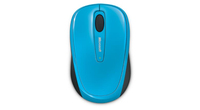
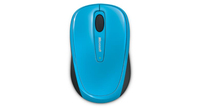
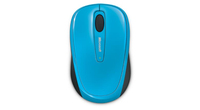
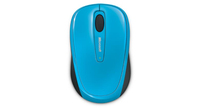
Microsoft Wireless Mobile 3500 mouse Office Ambidextrous RF Wireless BlueTrackWireless Mobile Mouse 3500, BlueTrack, USB
Comfort and Style on the GoYou'll appreciate how this wireless mobile mouse comfortably fits your hand and your mobile lifestyle. Use it just about anywhere, even on a rough park bench or your living room carpet, relying on Microsoft BlueTrack Technology. 1 When it’s time to pack up and go, you’ll hardly notice the tiny transceiver. Keep it plugged into the USB port, or stow it in the bottom of the mouse for travel. Keep using your mouse for up to eight months with a single battery, and rely on the power indicator to tell you when it’s time to replace it.
1 BlueTrack Technology does not work on clear glass or mirrored surfaces
BlueTrack Technology®Take advantage of BlueTrack Technology, which combines the power of optical with the precision of laser for remarkable tracking on virtually any surface.1
Plug-And-Go Nano TransceiverLeave the nano transceiver plugged in when you’re on the go, or stow it in the mouse.
8-Month Battery LifeUse your mouse for up to eight months without having to change batteries. Battery status indicator tells you when battery power is low.
On/Off SwitchConserve battery power by turning off your mouse when not in use.
Comfortable in Either HandUse your mouse with your left or right hand. Ambidextrous design makes it comfortable either way.