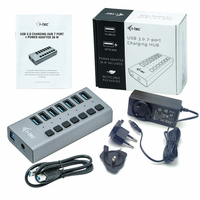
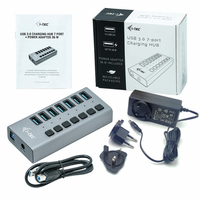
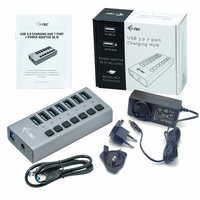
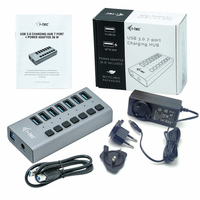
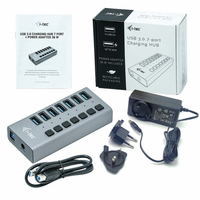
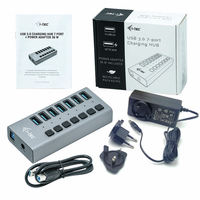
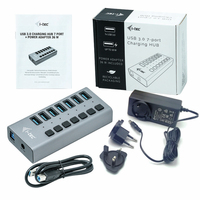
i-tec USB 3.0 Charging HUB 7port + Power Adapter 36 W

MPN: U3CHARGEHUB7
Quick Code: B43029526
(i-tec USB-A 3.0 7-port Charging Hub, incl. Power Supply 36W [back to back] U3CHARGEHUB7)
🔍
i-tec USB 3.0 Charging HUB 7port + Power Adapter 36 W
Product Image 1 Product Image 2 Product Image 3 Product Image 4 Product Image 5 Product Image 6 Product Image 7 Product Image 8 Product Image 9 Product Image 10
Note: Image accuracy is not guaranteed. Please do not rely solely on the image for your purchase.

📹 View Product Demo

£24.24
£29.09 inc. VAT
Overseas Customers with EU-VAT number do not pay VAT. - Verify it here
Quick Code: B43029526
MPN: U3CHARGEHUB7
Manufacturer: i-tec
EAN Code: 8595611702938
💰 Get Cash Back if paying by Debit Card or Bank Transfer!
📧 Request More Info

Have questions? Need a quote?

Contact Us
📬 Notify me when price drops
NOTE: The information below is provided for your convenience only and we cannot guarantee its accuracy. If necessary, please verify with us before purchasing.

i-tec USB 3.0 Charging HUB 7port + Power Adapter 36 WUSB 3.0 Charging HUB 7port + Power Adapter 36 W

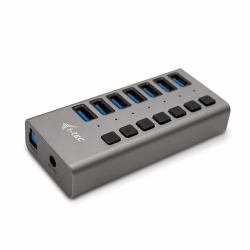
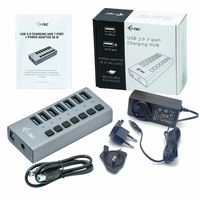
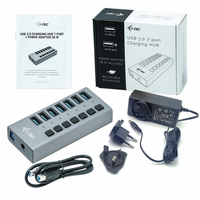
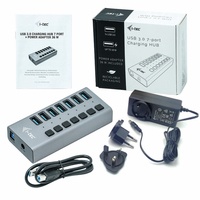
This HUB offers seven USB 3.0 ports with the Plug & Play function and with standard USB charging – the HUB automatically detects whether a device for USB charging is connected. As this HUB is equipped with seven USB 3.0 ports, it can charge up to seven devices at a time. The USB 3.0 interface is especially important for data transfers from USB 3.0 memory cards and flash drives, where its high transfer rate is most useful. An external power adapter is included in the package to guarantee stable HUB performance and charging from the USB ports, providing up to 10 W of charging power for each port.

This HUB does not require the installation of drivers. You will just connect it by the USB cable to your computer and immediately you can start using it. This HUB has a built-in overcurrent protection of your computer in case of short connection on the peripheries. The interface is compatible with USB 2.0 / 1.1.

The HUB is installed automatically from the system and does not require any drivers. Connect the AC adapter connector to the HUB and the AC adapter to a 230 V outlet. Then connect the HUB via the USB cable to a free USB port (USB 3.0, 2.0 or 1.1 standard) on your laptop/PC and follow the instructions on the screen. The HUB will be installed and displayed in the Device Manager as “General USB Hub” and “General USB SuperSpeed Hub”.

Long product description: i-tec USB 3.0 Charging HUB 7port with power adapter 36 W, 7x USB 3.0 charging port, ideal for laptop ultrabook tablet PC, Windows Mac Linux