NOTE: The information below is provided for your convenience only and we cannot guarantee its accuracy. If necessary, please verify with us before purchasing.
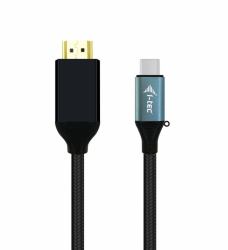
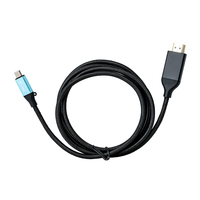
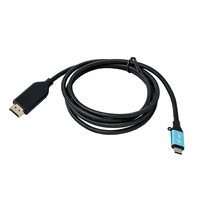
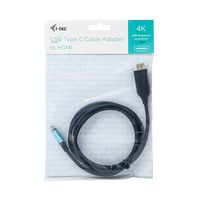
i-tec USB-C HDMI Cable Adapter 4K / 60 Hz 150cmUSB-C HDMI Cable Adapter 4K / 60 Hz 150cm
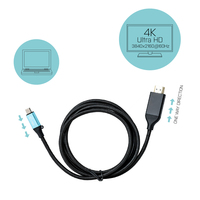
Expand your desktop to external HDMI monitor via new USB-C or Thunderbolt 3 connector. This cable adapter supports 4K Ultra HD video with resolution up to 3840 x 2160 px and stereo sound.
The cable adapter is suitable for use with all notebooks equipped with a USB-C connector which supports video transfer (DisplayPort alt Mode) or with a Thunderbolt 3 connector (including Apple MacBook 2015 or Apple MacBook Pro 2016 and later). The USB-C and Thunderbolt 3 connectors have many benefits. They are smaller and symmetrical, which makes them easy to connect because you do not have to care about connector orientation.
The cable adapter is the excellent choice for designers, graphic designers, gamers, and other users working with more than one screen simultaneously. Using the “Extend” and “Mirror” modes you can work for example with applications on two monitors (e.g., wide spreadsheets), or you can work on the first screen and search for information on the Internet on the second screen, you can compare several documents simultaneously without constant switching among the open windows, you can display panoramic images on two screens without the need to have another computer etc.
Using is very simple, just plug the cable adapter into the USB-C or Thunderbolt 3 port on your computer, connect it with a display device via HDMI connector and you can immediately start using. Driver installation is automatic from the system.
Please make sure to check a compatibility of your device, whether it meets all the requirements for an operation of the specific i-tec product, especially video output (Display Port Alt mode). If your device would not be fully compatible, your new i-tec product may not operate correctly. You may find the specifications your device (i.e. USB port), in a user manual supplied with your notebook/tablet/smartphone, or – alternatively – via customer service provided by a manufacturer of your device. If still uncertain, however, contact our service at support@itecproduct.com.
In case of any problems with installation, technical difficulties or faulty functionality of device find the possible solution in FAQ bookmark first.