StarTech.com 3ft [1m] USB-A to USB-C Charging Cable, Charge & Sync, 3A, USB 2.0, USB-IF Certified - USB Charging Cord

MPN: USB2AC1M
Quick Code: B2390083
(1M USB A TO C CHARGING CABLE - USB-C TO USB-A CHARGER CORD 2.0)
🔍
StarTech.com 3ft [1m] USB-A to USB-C Charging Cable, Charge & Sync, 3A, USB 2.0, USB-IF Certified - USB Charging Cord
Product Image 1 Product Image 2 Product Image 3 Product Image 4
Note: Image accuracy is not guaranteed. Please do not rely solely on the image for your purchase.

📹 View Product Demo

$15.71
$18.85 inc. VAT
All products on this website are available duty-free in the EU
Overseas Customers with EU-VAT number do not pay VAT. - Verify it here
Quick Code: B2390083
MPN: USB2AC1M
Manufacturer: StarTech.com (visit site)
EAN Code:
💰 Get Cash Back if paying by Debit Card or Bank Transfer!
Choose the right Connector

Use our Connector Wizard

📧 Request More Info

Have questions? Need a quote?

Contact Us
📬 Notify me when price drops
NOTE: The information below is provided for your convenience only and we cannot guarantee its accuracy. If necessary, please verify with us before purchasing.

StarTech.com 3ft (1m) USB-A to USB-C Charging Cable, Charge & Sync, 3A, USB 2.0, USB-IF Certified - USB Charging CordStarTech 3.3ft (1m) USB-A to USB-C Charging Cable, Charge & Sync, 3A, USB 2.0, USB-IF Certified, USB Charging Cord

Connect and charge USB Type-C devices, including iPhone 15 and up, with this USB-C to USB-A Cable

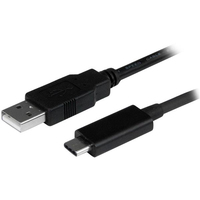
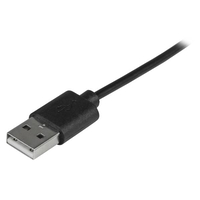
Need to connect your new USB-C™ mobile device to a computer with a traditional-style USB-A USB port? This 1m USB 2.0 USB-A to USB-C cable is the perfect solution. It's also compatible with Thunderbolt™ 3 ports.

Charge and sync your USB Type-C™ mobile devices

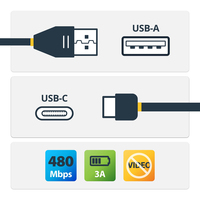
Connect your newer mobile devices that feature a USB-C connector, such as the Samsung Galaxy S8, S8+, Nexus™ 6P, and 5X phones to your computer, with data transfer speeds of 480 Mbps.

Connect with ease

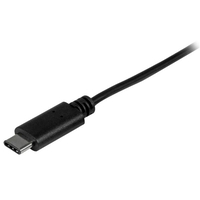
The USB Type-C connector is smaller and easier to use than previous USB connectors. With a reversible design, you can plug it into your devices with either side facing up. Insert the cable the right way every time - no more frustration or port damage.