NOTE: The information below is provided for your convenience only and we cannot guarantee its accuracy. If necessary, please verify with us before purchasing.
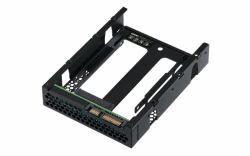
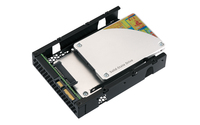
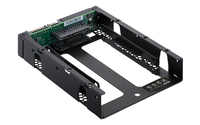
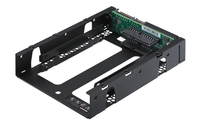
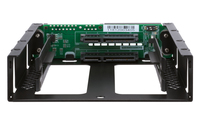
QNAP QDA-A2AR storage drive enclosure HDD/SSD enclosure Black 2.5"2 x 2.5" SATA 6Gbps HDD/SSD, RAID 0/1, 138.2 × 101.6 × 25.9 mm, 0.15 kg
Use two 2.5-inch SATA drives in a single 3.5-inch SATA drive bay with RAID support for PC and NASThe QDA-A2AR can accommodate two 2.5-inch SATA drives within a single 3.5-inch SATA drive bay. No software driver is required for the QDA-A2AR, and it can be installed in a PC/workstation (Windows®, Linux®) or QNAP NAS to flexibly add additional hard drives or SSDs to meet various storage needs.
Supports various RAID levelsThe QDA-A2AR supports a variety of RAID configurations. Depending on your requirements, you can use the bundled metal pin as disk mode switch tool to select your ideal RAID mode: Individual, JBOD, RAID 0, or RAID 1. Windows® users can use the QNAP External RAID Manager utility to view the RAID group status and disk health information.
Individual Mode
A PC that supports SATA port multipliers can connect two SATA drives to a single SATA port, allowing you to independently access each disk as separate storage space.
RAID 1 Mode (Default)
Half of the total storage capacity is used to store data, and the other half keeps a copy of this data. This provides high data protection at the cost of only being able to use half the installed storage space.
RAID 0 Mode
Data is split amongst the drives. RAID 0 provides the fastest performance but does not protect data from drive failure.
JBOD Mode
All the drives are recognized as a single drive. This allows maximal storage utilization but provides no data protection.
Install in a PC/workstation for higher performance or data protectionWhen using two 2.5-inch drives instead of a single 3.5-inch drive in a PC/workstation (Windows® or Linux®) you can create a RAID 0 for enhanced performance, or RAID 1 to add data redundancy for greater data protection. To deal with tasks that require intensive, fast data transmission, you can install high-speed SATA SSDs to achieve maximized performance and lower latency, ideal for on-the-fly video editing and server-grade applications.
External RAID Manager for Windows usersThe QNAP External RAID Manager utility allows Windows® users to view the drive status and RAID information of the QDA-A2AR. Firmware updates for the QDA-A2AR can also be managed with the External RAID Manager utility.
Install in QNAP NAS for efficient storage or SSD cachingThe QDA-A2AR supports hardware RAID that will not consume CPU resources to help sustain optimal NAS performance. You can install one or more QDA-A2AR in a NAS to maximize the storage utilization of 3.5-inch drive bays. The QDA-A2AR can accommodate two SSDs to create an SSD volume for performance-demanding workflows or work in an efficient tiered-storage environment with Qtier. It can also boost IOPS performance when configuring SSD caching. RAID information and drive health of the QDA-A2AR can be monitored through the QTS Storage & Snapshots Manager.