NOTE: The information below is provided for your convenience only and we cannot guarantee its accuracy. If necessary, please verify with us before purchasing.
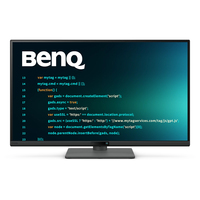
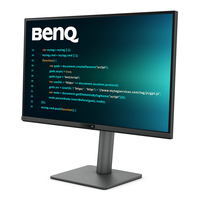
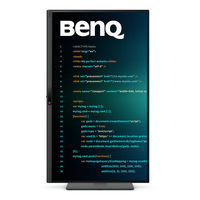
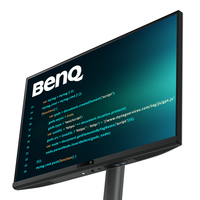
BenQ RD270Q computer monitor 68.6 cm (27") 2560 x 1440 pixels Wide Quad HD BlackRD270Q|27” 2K 144Hz BenQ Programming Monitor
Code Smarter with All-day Clarity and CareHit the Hotkey and Start CodingHit the Coding HotKey and dive straight into coding. Instantly apply coding modes, adjust brightness, contrast, eye-care settings, and toggle Night Hours Protection, to shield your vision in dark environments without missing a beat.
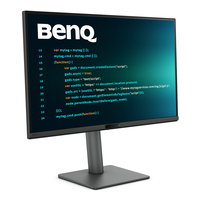
Every Great Project Begins with Code ClarityIn the exclusive Coding Modes, displays are finely tuned for optimal clarity in both dark and light themes. The new Paper Color Mode simulates the look and feel of printed media and is an additional way to read while being easy on the eyes.
Nano Matte Panel - Minimizes Reflections for Pure FocusFeaturing a low reflection finish that minimizes distractions, this advanced technology enhances focus and boosts productivity, delivering unparalleled clarity for peak performance.
High Pixel Contrast: Enhancing Every Line for Sharper DetailThe RD270Q features high-contrast performance with multi-layered High Pixel Contrast Technology. Static and dynamic contrast tuning, combined with Local Contrast Optimization, reveal fine details and enhanced dark-area clarity, for your IDE, movies, or games after work.
All-Day Eye Comfort, From Dawn to DuskWe know the importance of eyes, so we prioritize them in every design.
Smooth and Snappy Coding with 144Hz144Hz refresh rate offers lag-free performance to end flicker-related fatigue and headaches, ensuring peak eye comfort from your first scroll to your last.
Night Hours Protection for Late Night ProgrammersKeep the inspiration, lose the strain. Night Hours Protection’s ultra-low brightness technology shields your eyes from light-induced fatigue, ensuring a gentle viewing experience that lets you code all night without the sting.
Complete Eye-Care, Covered!The RD270Q is TÜV-certified for Flicker-Free, Reflection-Free, Low Blue Light, Eye Comfort 2.0, and Eyesafe 2.0, ensuring minimal distractions, reduced harmful blue light, and a comfortable, safe viewing experience without compromising vivid, lifelike colors. Moreover, featuring Visual Optimizer with automatic brightness and color temperature adjustments, the RD270Q adapts seamlessly to your workspace.
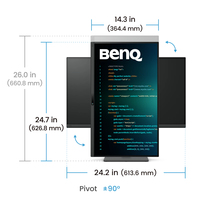
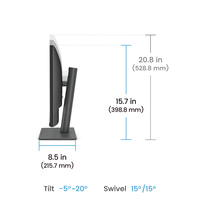
Your Body Deserves the Same Care as Your CodeErgonomic comfort designed to reduce strain and support productivity.
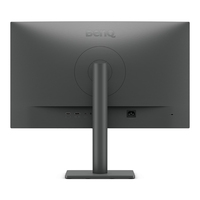
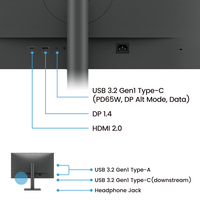
Easy Access for Smart ConnectivityMaximize efficiency through intuitive software controls and a purposeful selection of ports, perfectly configured to meet every setup need.
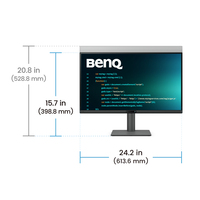
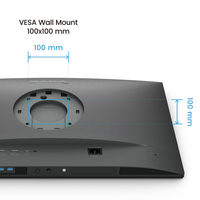
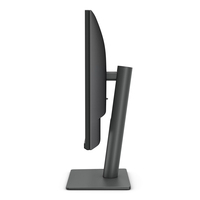
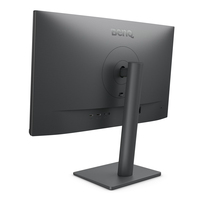
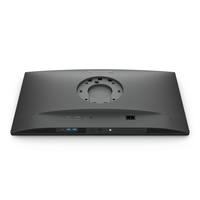
Take Up Less Space. Make It Your Innovation Hub.Slim and lightweight, the RD270Q reduces desk clutter with a compact stand and VESA mount support for flexible setups.
Maximizing Productivity, Simplified with USB-CKeep your workspace tidy and your focus sharp, the USB-C port delivers lightning-fast video, audio, and data transmission, along with up to 65W of power. Everything you need, without the clutter.
Display Pilot 2 for macOS, Windows, and LinuxNot just for macOS and Windows, Display Pilot 2 now supports Linux as well! The BenQ Programming Series software caters to your needs with intuitive control of features like Night Hours Protection and Visual Optimizer. It also offers programmer-focused tools such as FloW, Shortcuts, Desktop Partition, Application Mode, Software Dimming, and Circadian Mode, all making your workflow smarter and more efficient.

![BenQ RD270Q computer monitor 68.6 cm [27"] 2560 x 1440 pixels Wide Quad HD Black](images/imgB52827225.jpg)


)