No customs fees! Products from within the EU
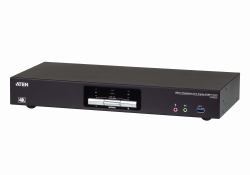
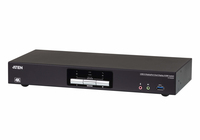
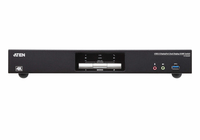
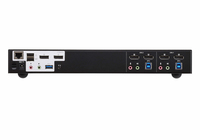
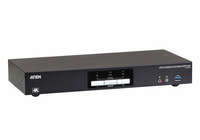
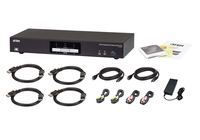
ATEN CS1942DP KVM switch Black
MPN: CS1942DP
Quick Code: B42648738
(2 PORT DUAL DP 4K60 KVMP)
Note: Image accuracy is not guaranteed. Please do not rely solely on the image for your purchase.
$349.65
$419.58 inc. VAT
All products on this website are available duty-free in the EU
Overseas Customers with EU-VAT number do not pay VAT. - Verify it here
Quick Code:
B42648738
MPN:
CS1942DP
Manufacturer:
ATEN
EAN Code:
💰 Get $2.52 Cash Back if paying by Debit Card or Bank Transfer!
NOTE: The information below is provided for your convenience only and we cannot guarantee its accuracy. If necessary, please verify with us before purchasing.
ATEN CS1942DP KVM switch Black2-Port USB 3.0 4K DisplayPort Dual Display KVMP™ Switch
The ATEN CS1942DP desktop KVM switch helps organize your desktop. Especially when managing a multimedia workstation at a large organization, CS1942DP provides you with instant access to two or four computers, all through a single USB keyboard, USB mouse and two DisplayPort monitors.Advanced video support provides a better-defined DisplayPort connection with video resolutions up to 4K (4096 x 2160 / 3840 x 2160 @ 60 Hz). Incorporating dual display capability, you are allowed to enjoy a wider screen and easily switch between two or four DisplayPort systems. In addition, featuring a built-in USB 3.1 Gen 1 hub, the CS1942DP delivers unprecedented data transfer rates up to 5 Gbps, allowing you to maximize multimedia operations.
Engineered to meet the ever-increasing demand for dual display, ultra-fast data transmission rates, and lossless 4K video resolution, the CS1942DP is specifically designed for where multitasking is needed such as design, financial trading, and video post production.
Note:
As is common with DisplayPort KVM switches, switching between KVM ports in an Extended Desktop setup may cause windows open on the extended desktop to be resized/repositioned back to a default configuration on the main display. This is due to the nature of the DisplayPort protocol and may require a manual readjustment.