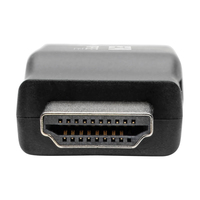
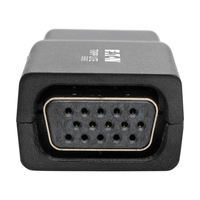
Tripp Lite P131-000-A Compact HDMI to VGA Adapter Video Converter with Audio [M/F]

MPN: P131-000-A
Quick Code: B42131209
(Compact HDMI to VGA Adapter Video Converter with Audio [M/F] P131-000-A)
🔍
Tripp Lite P131-000-A Compact HDMI to VGA Adapter Video Converter with Audio [M/F]
Product Image 1 Product Image 2 Product Image 3 Product Image 4 Product Image 5 Product Image 6
Note: Image accuracy is not guaranteed. Please do not rely solely on the image for your purchase.

📹 View Product Demo

$25.81
$30.97 inc. VAT
All products on this website are available duty-free in the EU
Overseas Customers with EU-VAT number do not pay VAT. - Verify it here
Quick Code: B42131209
MPN: P131-000-A
Manufacturer: Tripp Lite
EAN Code:
💰 Get Cash Back if paying by Debit Card or Bank Transfer!
📧 Request More Info

Have questions? Need a quote?

Contact Us
📬 Notify me when price drops
NOTE: The information below is provided for your convenience only and we cannot guarantee its accuracy. If necessary, please verify with us before purchasing.

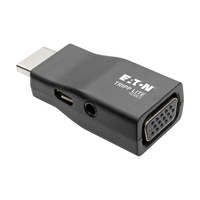
Tripp Lite P131-000-A Compact HDMI to VGA Adapter Video Converter with Audio (M/F)Compact HDMI to VGA Adapter Video Converter with Audio (M/F), TAA

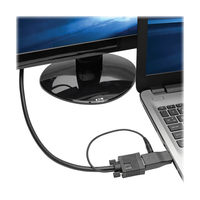
The P131-000-A HDMI to VGA Adapter with Audio (M/F) helps you transmit digital audio and 1080p video from your laptop, Chromebook, MacBook or PC to a VGA-enabled television, monitor or projector. It’s an ideal tool for giving video presentations in conference rooms and classrooms, editing multiple documents on a larger screen, or streaming video for digital signage in crystal-clear 1080p.

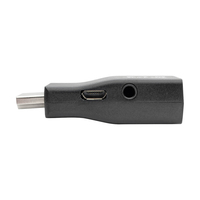
This HDMI to VGA adapter supports video resolutions up to 1920 x 1200 (including 1080p HD) at 60 Hz. Just insert the HDMI male converter into the HDMI source, and connect a VGA cable (sold separately) between the VGA female port and the VGA display. To share stereo audio, connect a 3.5 mm audio cable (sold separately) between the adapter’s audio jack and the audio jack on the VGA display, A/V receiver or speakers.

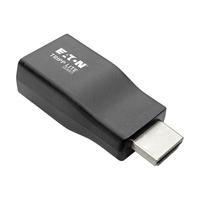
The molded one-piece unit is so compact that it fits in the palm of your hand, making it easy to carry in your backpack or laptop bag for quick connection anywhere. No software, drivers or external power supply is required. If additional power is needed, connect the converter’s USB Micro-B port to a USB charger or a USB-A port on the source device.