NOTE: The information below is provided for your convenience only and we cannot guarantee its accuracy. If necessary, please verify with us before purchasing.
StarTech.com 4 Port DVI VGA Dual Monitor KVM Switch USB with Audio & USB 2.0 Hub - TAAStarTech 4 Port DVI VGA Dual Monitor KVM Switch USB with Audio and USB 2.0 Hub , TAA (SV431DDVDUA)
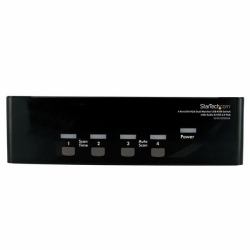
Share a keyboard and mouse as well as 1 VGA and 1 DVI displays/monitors between 4 multimedia computers
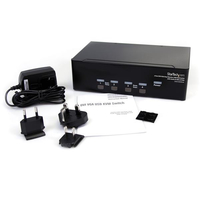
The SV431DDVDUA 4-port DVI VGA dual monitor KVM switch lets you control 4 Dual Display computers using a single USB mouse and keyboard peripheral set.
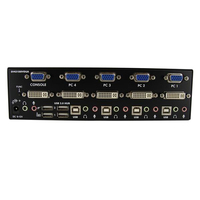
This dual view KVM switch provides 1 VGA and 1 DVI-I port per computer connection for high-resolution video, as well as audio switching capability between connected computers.
The DVI/VGA KVM switch features an integrated 2-port USB hub that allows USB 2.0 peripherals to be shared between connected computers, and offers a compact design with a rugged metal chassis for durable performance.
NOTE: While both DVI-I (analog) and DVI-D (digital) are supported by the KVM, source PCs must output the same signal for proper switching. It is recommended wherever possible to use DVI-D cables across all PC to KVM and KVM to Console connections. If necessary, please contact technical support for assistance identifying your source.
Rackmount your KVM switch
If you’d like to mount this KVM switch to your server rack, StarTech.com offers a 1U Rackmount Bracket (sold separately) that turns this KVM into a rackmountable KVM.