NOTE: The information below is provided for your convenience only and we cannot guarantee its accuracy. If necessary, please verify with us before purchasing.
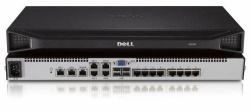
DELL DAV2108 KVM switch Rack mounting Silver8 x KVM, 4 x USB, silver
- Add a digital channel via a physical hardware key;
- 1 local user users;
- Local console USB;
- Widescreen support;
- Hi-res to 1600×1200 (standard) and 1680×1050 (widescreen);
- ACI support for cascading up to 256 servers;
- Dell ReadyRails mounting interface.
OverviewThe Dell Analog KVM switches, engineered by Avocent, are ideally suited for environments where remote access is not required but maximum security is essential. The Analog Server Console Switch is an excellent choice where real-time video and mouse response are required. Its responsiveness is not impacted by the need to digitize and transmit video frames, mouse and keystroke events. For high resolution requirements of a Network Operation Center, the Server Console switches can support resolutions of up to 1600×1200 and widescreen resolutions of up to 1680×1050.
The Analog KVM Server Console Switches provide flexibility to customers who may want to implement remote access in the future, but who are not ready to make that commitment at the time of purchase. The digital capabilities of the Server Console Switch are ‘unlocked’ by plugging the Dell Remote Access Key into any one of the USB ports of the rear of the switch. With the Dell Remote Access Key installed, one authenticated digital user can remotely manage any one of the servers connected to the Server Console Switch over a TCP/IP network with support for DES, 3DES, AES or 128-bit SSL encryption of both KVM and Virtual Media sessions over a single IP address.